

The CRA accepts records kept in a cloud platform as readily as a filing cabinet, with one condition most owners have never read. Records on a server outside Canada that you access from Canada are not records kept in Canada, and keeping them there needs the CRA's written permission. Every one of the cloud accounting platforms below can meet that condition, and none of them meets it for you. You, or your accountant, have to.
In this guide, we set out what a Canadian business needs from a cloud platform and compare the platforms that supply it.
What Canadian Businesses Need From Cloud Accounting Platforms
Cloud accounting software does the same bookkeeping on every continent, and cloud based accounting software from any vendor will balance your books. What makes accounting software Canada businesses can rely on is how it handles four things decided in Ottawa and the provinces rather than by the vendor.
GST/HST by Province and Direct CRA Filing
Every platform calculates sales tax. The question for you is whether it holds the right rate for each province you sell into and tracks your input tax credits at the transaction level. The return it builds is the one the CRA will test. QuickBooks Online files the return to the CRA from inside the product. Xero builds the return and its audit report for you to file through My Business Account. Wave produces a sales tax report. The difference is an hour a quarter if you sell in one province. For one selling into several provinces it is a real risk, because the platform has to carry HST, GST and PST at the line level. Quebec sales add QST, with its own return to Revenu Québec.
Payroll With CPP, EI and T4s
If you have staff, Canadian payroll means CPP, EI and income tax withholding with the remittance by the 15th. Then come T4s by the end of February and a record of employment when someone leaves. QuickBooks Online runs it natively. Xero connects to Wagepoint. Wave runs its own payroll at $25 a month plus $6 per person. If your platform has no Canadian payroll module and no Canadian payroll partner, you run payroll somewhere else and post it back by hand.
Where the Records Live
The Income Tax Act requires books and records to be kept at your place of business in Canada unless the CRA gives written permission to keep them elsewhere. The CRA's position is that records on a server outside Canada, accessed from Canada, are not kept in Canada. Permission for electronic records abroad comes with conditions, chiefly that the records are made available in Canada in a format CRA software can read. Our team handles this for you in two steps.
- We confirm with the vendor where your data is hosted, because several platforms offer Canadian data residency and several do not
- We keep a current export of your general ledger and transaction detail in Canada, so the records exist here whatever the vendor's servers do
Bank Feeds, Users, Security and the Exit
Every major platform connects to the big five banks and the credit unions. Where they differ is on how many of your people can use the file. Xero gives unlimited users on every plan, QuickBooks caps users by tier, and Wave is unlimited. The accountant's seat is free on all of them. That is the seat that matters, because the year-end, the HST review and the CRA correspondence all run through it.
The questions you rarely ask until something goes wrong are about the data itself, and the answers belong in your decision.
- Who owns the data: you do on every major platform, and the terms say so, but the export is your only proof of it
- Security: two-factor authentication on every login, with the accountant's seat under its own credentials rather than yours
- Backups: the vendor backs up its servers, not your file, so a scheduled export is the only backup you control
- The exit: every platform exports the ledger and transactions, and the CRA's six-year retention runs whether or not the subscription does
- Multi-currency: QuickBooks Essentials and Xero Premium handle US-dollar customers and suppliers, and Wave does not
The Best Cloud Accounting Platforms for Canadian Small Business
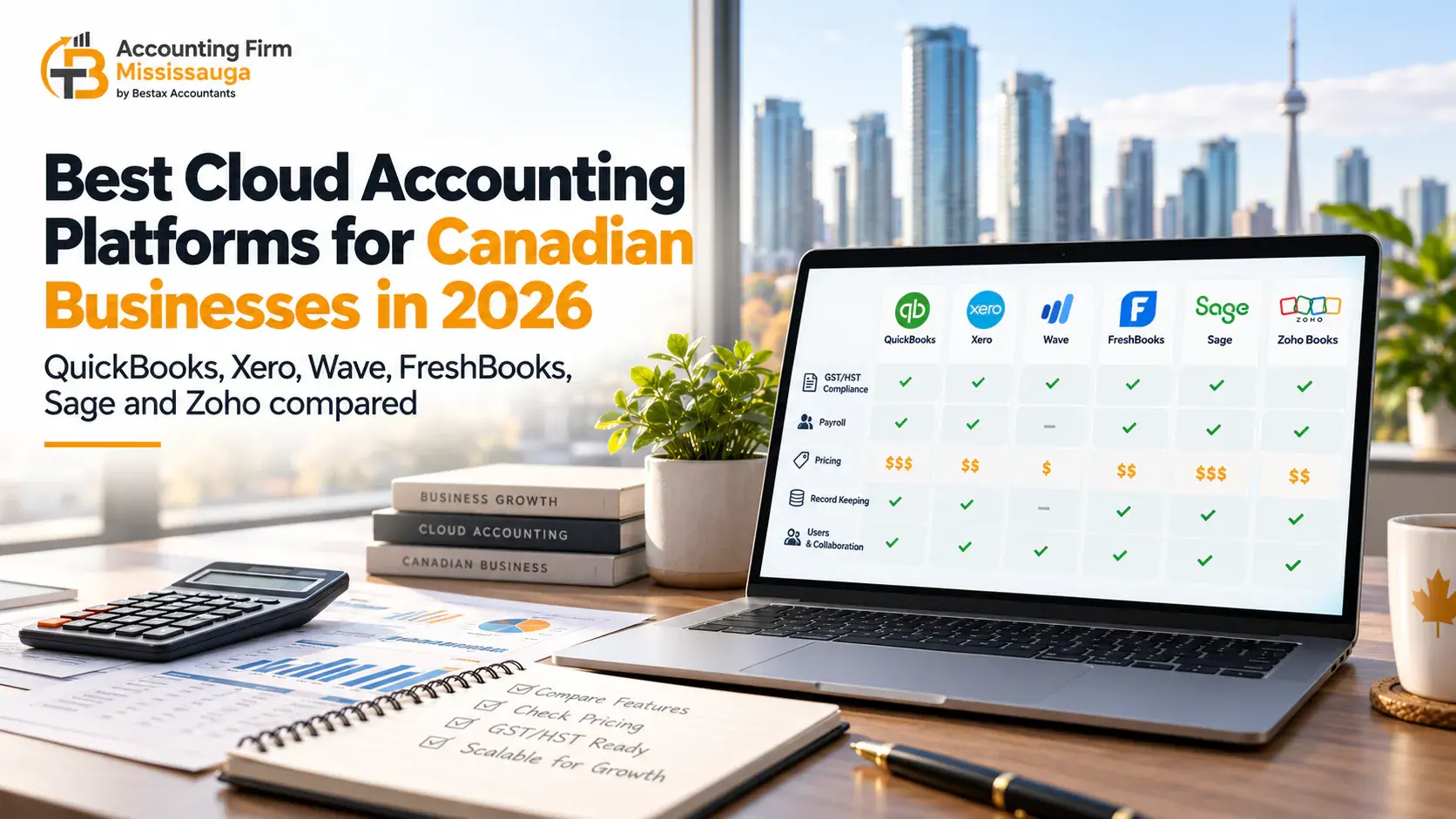
Six online accounting software platforms cover the Canadian small-business market. Three dominate it, and three serve particular needs. The best cloud accounting software for your business is the one that passes the four tests above at the price you can carry. Prices are 2026 Canadian list prices before HST, and every vendor runs introductory discounts, so your first invoices will be lower.
QuickBooks Online
Entry plan, CAD a month$30, rising to $75 for three users and $110 with inventory and projectsUsersCapped by tierGST/HSTFiled to the CRA from the productPayrollNative add-on with T4sWhere it fitsThe default for most Canadian small businesses and most accountantsXero
Entry plan, CAD a month$25, $60 for unlimited invoices, $80 with multi-currencyUsersUnlimitedGST/HSTLine-level by province, filed through My Business AccountPayrollWagepoint integrationWhere it fitsMulti-user businesses, e-commerce, multi-province sellersWave
Entry plan, CAD a monthFree, $25 for bank feeds and receipt captureUsersUnlimitedGST/HSTSales tax reportPayroll$25 plus $6 per personWhere it fitsSole proprietors and businesses under the HST thresholdFreshBooks
Entry plan, CAD a monthAbout $21UsersPer planGST/HSTTracked, with a reportPayrollThrough partnersWhere it fitsService businesses billing by the hourSage Accounting
Entry plan, CAD a monthVendor's current Canadian pricingUsersPer planGST/HSTTracked by provincePayrollSage payrollWhere it fitsBusinesses moving up from Sage 50 or wanting a Sage ecosystemZoho Books
Entry plan, CAD a monthFree tier, then paid plansUsersPer planGST/HSTTracked by provincePayrollThrough partnersWhere it fitsBusinesses already running Zoho CRM or inventory
| Platform | Entry plan, CAD a month | Users | GST/HST | Payroll | Where it fits |
|---|---|---|---|---|---|
| QuickBooks Online | $30, rising to $75 for three users and $110 with inventory and projects | Capped by tier | Filed to the CRA from the product | Native add-on with T4s | The default for most Canadian small businesses and most accountants |
| Xero | $25, $60 for unlimited invoices, $80 with multi-currency | Unlimited | Line-level by province, filed through My Business Account | Wagepoint integration | Multi-user businesses, e-commerce, multi-province sellers |
| Wave | Free, $25 for bank feeds and receipt capture | Unlimited | Sales tax report | $25 plus $6 per person | Sole proprietors and businesses under the HST threshold |
| FreshBooks | About $21 | Per plan | Tracked, with a report | Through partners | Service businesses billing by the hour |
| Sage Accounting | Vendor's current Canadian pricing | Per plan | Tracked by province | Sage payroll | Businesses moving up from Sage 50 or wanting a Sage ecosystem |
| Zoho Books | Free tier, then paid plans | Per plan | Tracked by province | Through partners | Businesses already running Zoho CRM or inventory |
QuickBooks Online, Xero and Wave
These three are the online accounting platforms most Mississauga accounting firms work in. The choice between them is covered in detail in our comparison of QuickBooks, Xero and Wave. In short, QuickBooks Online is the default when your accountant already uses it and you want HST filed and payroll run inside one product. Xero is your choice when several people need the file and you sell into more than one province. Wave is your answer if you are a sole proprietor under the $30,000 threshold, until your first hire or your first HST return.
FreshBooks, Sage and Zoho
FreshBooks, built in Toronto, is invoicing-first and suits a consultant or a trade billing by the hour, with full double-entry accounting on its upper plans. Sage Accounting is the cloud successor to Sage 50 and suits a business that wants the Sage ecosystem and Sage payroll. Zoho Books is strongest where the business already runs Zoho's CRM or inventory, because the modules share one database. None of the three has QuickBooks' accountant network in Canada, and that network decides how cheaply your year-end runs and how easily you change accountants.
Cloud Bookkeeping Software and the Add-Ons Around It
Cloud accounting and bookkeeping platforms are the ledger. Your receipts, bills and payroll usually come from add-ons that post into it, and the add-ons decide how much of your bookkeeping is typed by hand.
- Receipt capture: Dext or Hubdoc photograph and extract every receipt and bill, with Hubdoc included in Xero
- Payroll: Wagepoint for Xero, QuickBooks Payroll, Wave Payroll, or a payroll service that posts into any of them
- Payments: Stripe, Square and bank payment links posting to the ledger
- E-commerce: A2X and the Shopify connectors for sales and fees by channel
- Reporting: Fathom and Syft for management reports above the standard set
Cloud Accounting for Real Estate and Construction
Small business cloud accounting fits a service firm out of the box. That is why cloud accounting for small business is where the cloud based accounting platforms above compete hardest. If you run a property portfolio or a construction company, you need a kind of record the general setup does not keep.
Cloud Accounting for Real Estate
Real estate accounting software for a Canadian landlord has one requirement above the rest, a separate ledger for every property you own. Each files its own Form T776 and carries its own capital cost allowance history. Your platform does not have to be a specialist product, but it has to be set up for property. Our real estate accountant guide covers the tax side in full.
One ledger per property
How we configure itQuickBooks classes or locations, Xero tracking categories, one bank account per propertyT776 expense lines
How we configure itThe chart of accounts mapped to the form's categories, with repairs separated from capital at postingHST by rent type
How we configure itResidential rent coded exempt, commercial and short-term rent coded at 13 percentCCA
How we configure itA fixed asset register per building with the class and the claim historyA property manager in the file
How we configure itThe manager's monthly statement imported and reconciled to gross rent and gross expenses
| Need | How we configure it |
|---|---|
| One ledger per property | QuickBooks classes or locations, Xero tracking categories, one bank account per property |
| T776 expense lines | The chart of accounts mapped to the form's categories, with repairs separated from capital at posting |
| HST by rent type | Residential rent coded exempt, commercial and short-term rent coded at 13 percent |
| CCA | A fixed asset register per building with the class and the claim history |
| A property manager in the file | The manager's monthly statement imported and reconciled to gross rent and gross expenses |
A specialist property management product, such as Buildium or Yardi Breeze, runs the leases, the tenant ledgers and the maintenance, and posts summaries into the accounting platform. If you hold fewer than about twenty doors, the accounting platform configured as above is enough. Above that, the management product sits in front of it.
Cloud Accounting for Construction
Construction accounting software has to do three things a service firm's platform never does. The platform costs every job against its estimate, bills by progress rather than by invoice, and holds back and releases retainage under the provincial construction act. Ontario's Construction Act sets the holdback at 10 percent of each payment, released after the lien period. A platform that cannot track holdback by job produces receivables that are wrong by exactly that amount.
- Job costing: QuickBooks Online Plus with projects, or Xero with tracking categories, for a contractor with a handful of jobs at a time
- Progress billing and holdback: Knowify or Buildertrend integrated with QuickBooks, or Sage Intacct Construction for a larger firm
- Payroll with WSIB and union rates: QuickBooks Payroll or Wagepoint, with the rates by trade loaded
- HST on progress draws: coded on each draw, with input tax credits claimed as subcontractor invoices are posted
If you run a few jobs at once, QuickBooks Online Plus with projects and a holdback account our team sets up is enough. If you run many jobs with progress claims, the construction product sits in front of your ledger in the same way the property manager does.
What Our Team Sets Up on Any Platform
Whichever platform you choose, the setup decides whether it works for you, and our team runs the same configuration for every client.
- The chart of accounts built for your industry, with the tax lines the returns are filed from
- GST/HST codes by province and by supply type, tested against the first return
- Bank feeds connected and the opening balances agreed to the last filed return
- Payroll configured to the current CPP, EI and provincial figures, or the payroll partner connected
- The Canadian export scheduled and the accountant's seat opened under its own login
Choose the Platform on the Four Canadian Requirements, Then on Price
Cloud accounting Canada businesses depend on is decided by how the platform handles your HST, your payroll, the CRA's record rule and the people in your file. The price list comes last.
- Confirm the platform files or builds your GST/HST return at the level of detail the CRA will test
- Confirm it runs Canadian payroll natively or through a partner you accept
- Settle where your records are hosted before you sign, not after the first audit letter
- Count the users, including your accountant, before you compare the price tiers
Tell us what you sell, where you sell it, how many people need the file and whether you run payroll. Our Mississauga accounting team will recommend the platform, set it up to the configuration above, and file the first HST return with you from it.
Frequently Asked Questions
Does using a US-hosted cloud platform break the CRA's record-keeping rule?
Not if you handle it. The CRA's rule is that records kept outside Canada and accessed from here are not records kept in Canada, and permission is needed to keep them abroad. You confirm the vendor's hosting, ask the CRA for permission where the data is outside Canada, and keep a current export of the ledger and transactions in Canada. Our team does all three for you.
Can I switch cloud accounting platforms without losing my history?
Yes. Every major platform exports the chart of accounts, the transactions and the balances. The clean point to switch is a fiscal year-end, with the closing balances carried in as opening balances. The CRA's six-year retention period still applies to the old data, so the export from the old platform is kept whether or not the subscription is.
Do I need a specialist platform for a small property portfolio or a small contractor?
No. A general platform configured with one ledger per property handles a portfolio of a few properties. One configured with a project per job and a holdback account handles a contractor with a few jobs. You pay for the specialist products when your leases, tenants and maintenance, or your progress claims and subcontractors, outgrow what the ledger can carry.
Which platform works best with an accountant in Mississauga?
QuickBooks Online, because most local firms run client files in it and the accountant's seat, the year-end adjustments and the tax working papers move without conversion. Xero is a close second and growing. The rest usually involve an export to the accountant at year-end.
Is the free Wave plan safe for CRA purposes?
Yes. Wave is double-entry accounting underneath, keeps the transaction detail, and exports it. Its limits are practical rather than compliance limits: manual bank import on the free plan, no inventory, no multi-currency and no direct CRA filing.
Disclaimer: The information provided in this blog is for general informational purposes only. For professional assistance and advice, please contact experts.
Author Profile
Written by
Bookkeeping & Financial Reporting Team
Our expert-reviewed bookkeeping team runs monthly closes, cleans up backlogs and sets up QuickBooks Online, Xero and Wave files for Mississauga businesses.
Reviewed by
Payroll & HST/GST Team
Our expert-supervised payroll and sales tax team runs full-cycle payroll and remittances and handles GST/HST registration and filing for Mississauga businesses.