
Accounting System Setup Services in Mississauga
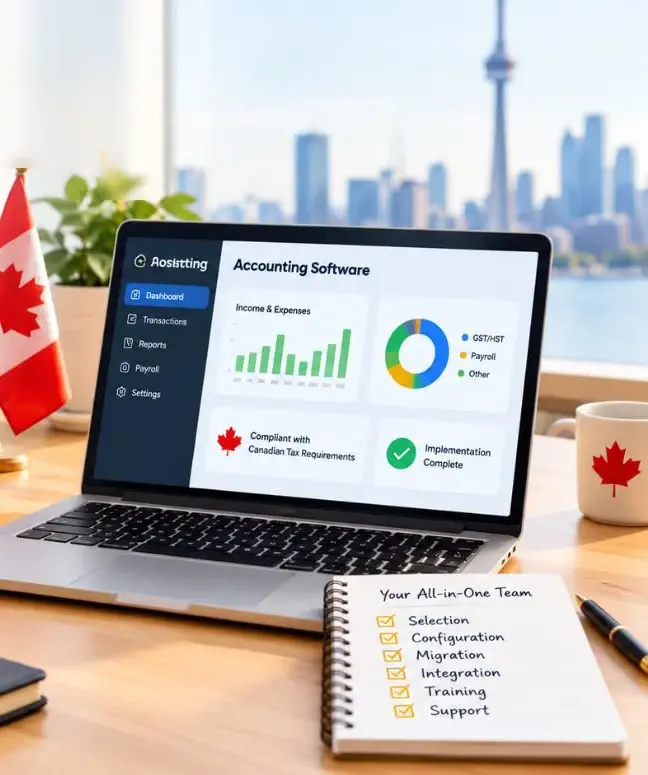
Accounting system setup means picking the right software, building your chart of accounts, connecting bank feeds, and linking payroll or invoicing tools so everything works together. This team handles the full setup for Mississauga businesses outgrowing spreadsheets.
- 10 Yearsof accounting work
- 120+ Businessesserved
- 4.8Google rating (4.8 out of 5, opens Google reviews)

Tap a tool to connect it
Every tool, one set of books

Handled here
When You Need Accounting System Setup & Integration
Spreadsheets work fine until they don't. Once a Mississauga business adds staff, more transactions, or a second sales channel, bank feeds stop matching, HST reports need constant manual fixing, and payroll or invoicing tools end up sitting apart from the actual books.
Our team builds accounting systems around how your business actually runs: the right software, a chart of accounts that makes sense for your industry, tax codes set up correctly, and every other tool you use connected so nothing gets entered twice.

What's Included
Tap each part of the engagement to see what it covers.

Software Selection & Chart of Accounts
We review your industry, transaction volume, and reporting needs, then set up a chart of accounts and platform that fits your business instead of a generic template.
Bank Feed & Tax Code Configuration
Bank and credit card accounts get connected directly, and HST/GST tax codes are configured so transactions post correctly without manual correction later.
Data Migration
Records from spreadsheets, an old platform, or outdated software get cleaned and moved into your new system without losing history.
App Integrations
Payroll, invoicing, e-commerce, CRM, and POS tools get connected to your accounting software so figures update automatically instead of being re-entered by hand.
Team Training
Your staff learn the new system directly, with documentation they can refer back to once we've moved on to support mode.
Ongoing Support & Optimization
After launch, we monitor how the system performs and adjust workflows, add integrations, or upgrade tools as your business grows.
Why Work With This Team
Built around your business, not a template
A construction company, an online store, and a professional practice all need different account structures. We design yours around how you actually operate.
Real-time visibility, not month-end guesswork
Connected bank feeds and automated workflows mean you can see cash position, unpaid invoices, and upcoming bills without waiting for someone to update a spreadsheet.
Audit-ready from the start
CRA generally expects records kept for six years. A properly configured system keeps invoices, receipts, and bank records easy to locate whenever they're needed.
Secure migration
Old records get moved using encrypted, best-practice methods, with backups kept along the way.
A long-term partner, not a one-time setup
We stay on after go-live to add integrations, adjust workflows, and keep the system working as your business changes.

Our Process
Four steps, from discover & assess to train & support.
Step 1: Discover & Assess
We look at your current software or spreadsheets, chart of accounts, bank accounts, payroll, HST setup, and reporting needs to see what's working and what isn't.
Step 2: Design & Plan
We put together a setup plan covering software, chart of accounts structure, tax codes, integrations, and a realistic timeline before any work starts.
Step 3: Implement & Integrate
Your platform gets configured, data migrated, and connected apps linked, with testing along the way to confirm everything syncs correctly.
Step 4: Train & Support
Your team gets hands-on training and documentation, and we stay on to monitor performance and refine the system as needs change.
Helpful Guides
In-depth articles from our blog on the questions this service raises most.
- BookkeepingBest Accounting Software for Small Businesses in Mississauga: QuickBooks vs Xero vs WaveMatch the software to how you file HST and run payroll, not to the price list. This guide compares QuickBooks Online, Xero and Wave on what a Mississauga business pays, what each does with GST/HST and payroll, and which fits a sole proprietor, a service firm and a company with staff.Read the guide
- BookkeepingBest Cloud Accounting Platforms for Canadian Businesses in 2026Choose the platform on the four things the CRA cares about, then on price. This guide compares the cloud accounting platforms Canadian businesses run on, the record-keeping rule most owners miss, and the right platform for a small business, a property portfolio and a construction firm.Read the guide
- BookkeepingHow Much Bookkeeping Actually Costs in MississaugaReal 2026 pricing for bookkeeping in Mississauga: DIY software, freelancers, firms, and in-house staff, compared with actual dollar ranges.Read the guide
Related Accounting & Bookkeeping Services
 Bookkeeping ServicesMonthly bookkeeping that keeps your accounts reconciled, HST-ready, and reviewed by an expert accountant.
 Trust Fund Accounting ServicesOngoing bookkeeping and financial administration for trusts, kept separate from personal or business books.
 Accounting Software SupportOngoing help, training, and troubleshooting for the accounting software you already use.
 Backlog Accounting ServicesMonths or years of unreconciled bookkeeping, caught up and made CRA-compliant again.
 Financial Reporting ServicesMonthly or quarterly financial statements built for decisions, not just compliance.

Frequently Asked Questions
How long does accounting system setup take?
A straightforward setup for a small business usually takes two to four weeks. Larger integrations with more data and connected apps can take six to eight weeks.
Do you work with the software I already use?
Yes. We work with popular cloud-based and on-premise platforms used across Canada and can migrate your existing records into whichever one fits your business best.
Will my data be safe during migration?
Yes. We use encrypted transfer methods and keep backups throughout the process, so nothing gets lost while records move between systems.
Can you connect our accounting software to payroll or e-commerce tools?
Yes. Linking accounting software to payroll, CRM, POS, or e-commerce platforms is one of the main reasons businesses ask for this service in the first place.
What if my team isn't very technical?
That's fine. We provide hands-on training and simple documentation built for non-technical staff, not just the bookkeeper.