
Best Accounting Software for Small Businesses in Mississauga: QuickBooks vs Xero vs Wave
Match the software to how you file HST and run payroll, not to the price list. This guide compares QuickBooks Online, Xero and Wave on what a Mississauga business pays, what each does with GST/HST and payroll, and which fits a sole proprietor, a service firm and a company with staff.
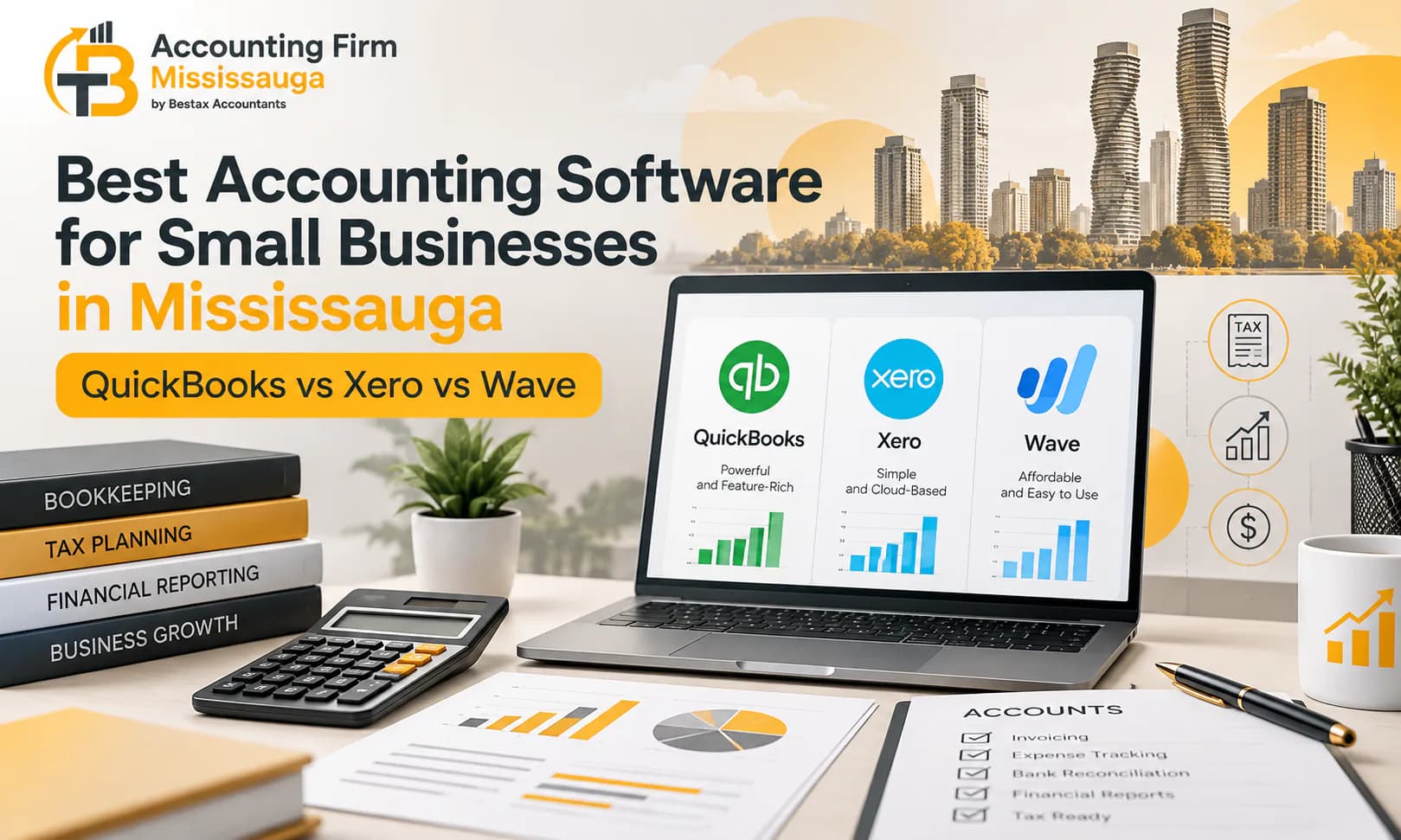
Choosing the best accounting software for small business Canada operators rely on comes down to two requirements the price list does not show. The software has to file your GST/HST return to the CRA without re-keying. The software also has to run Ontario payroll with the CPP, EI and T4 filings that go with it.
In this guide, we compare the three on their 2026 Canadian prices and on what each does with HST and payroll.
Best Accounting Software for Small Business Canada: QuickBooks, Xero and Wave Compared
All three are cloud accounting Canada businesses can run from a browser and a phone, with bank feeds from the major Canadian banks and a login for your accountant. The best accounting software for small business Canada owners can buy is therefore not decided by features they share. The differences show up where you file and who you pay. The differences are in price, user limits, and what happens at month-end and quarter-end.
Bookkeeping Software Canada Pricing in 2026
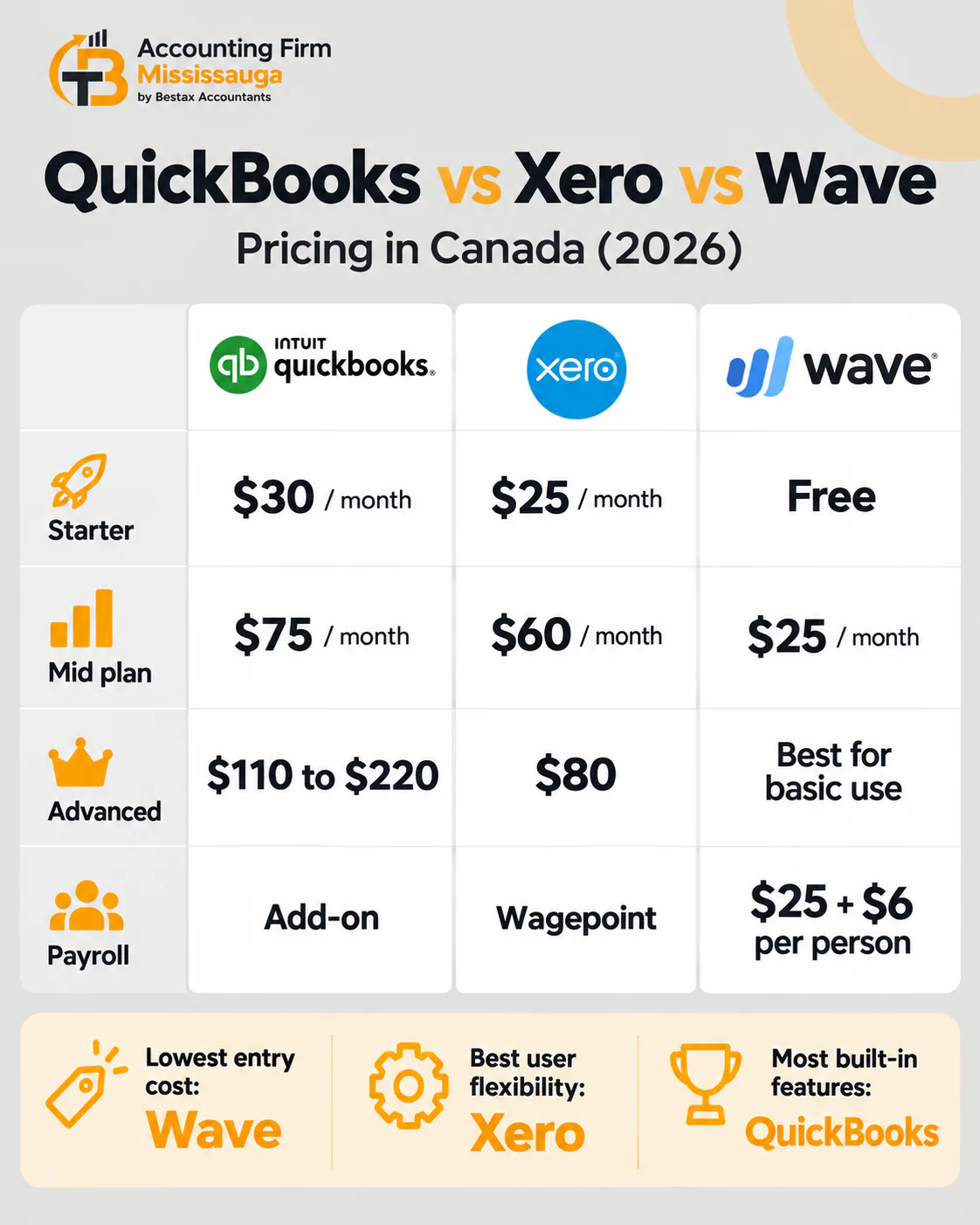
Prices are list prices in Canadian dollars before HST, from the vendors' Canadian pages. All three run introductory discounts for the first months, so the first invoice is usually lower than the figures here.
Entry
QuickBooks OnlineEasyStart $30, 1 userXeroStarter $25, unlimited users, 20 invoices and 5 bills a monthWaveStarter free, unlimited invoices, manual bank importMid
QuickBooks OnlineEssentials $75, 3 users, bills and multi-currencyXeroStandard $60, unlimited users, unlimited invoices and billsWavePro about $25, automatic bank feeds and receipt captureUpper
QuickBooks OnlinePlus $110, 5 users, inventory and projectsXeroPremium $80, multi-currencyWaveTop
QuickBooks OnlineAdvanced $220, 25 usersXeroWavePayroll
QuickBooks OnlineAdd-on, base fee plus a per-employee chargeXeroThrough Wagepoint, from about $40 for two employeesWave$25 plus $6 per employee or contractor
| Plan, per month CAD | QuickBooks Online | Xero | Wave |
|---|---|---|---|
| Entry | EasyStart $30, 1 user | Starter $25, unlimited users, 20 invoices and 5 bills a month | Starter free, unlimited invoices, manual bank import |
| Mid | Essentials $75, 3 users, bills and multi-currency | Standard $60, unlimited users, unlimited invoices and bills | Pro about $25, automatic bank feeds and receipt capture |
| Upper | Plus $110, 5 users, inventory and projects | Premium $80, multi-currency | |
| Top | Advanced $220, 25 users | ||
| Payroll | Add-on, base fee plus a per-employee charge | Through Wagepoint, from about $40 for two employees | $25 plus $6 per employee or contractor |
The user limits decide the real comparison. If you, a bookkeeper and an accountant all work in the file, you need QuickBooks Essentials at $75 or any Xero plan at $25. Wave allows unlimited users on every plan.
GST/HST Accounting Software: Which One Files to the CRA
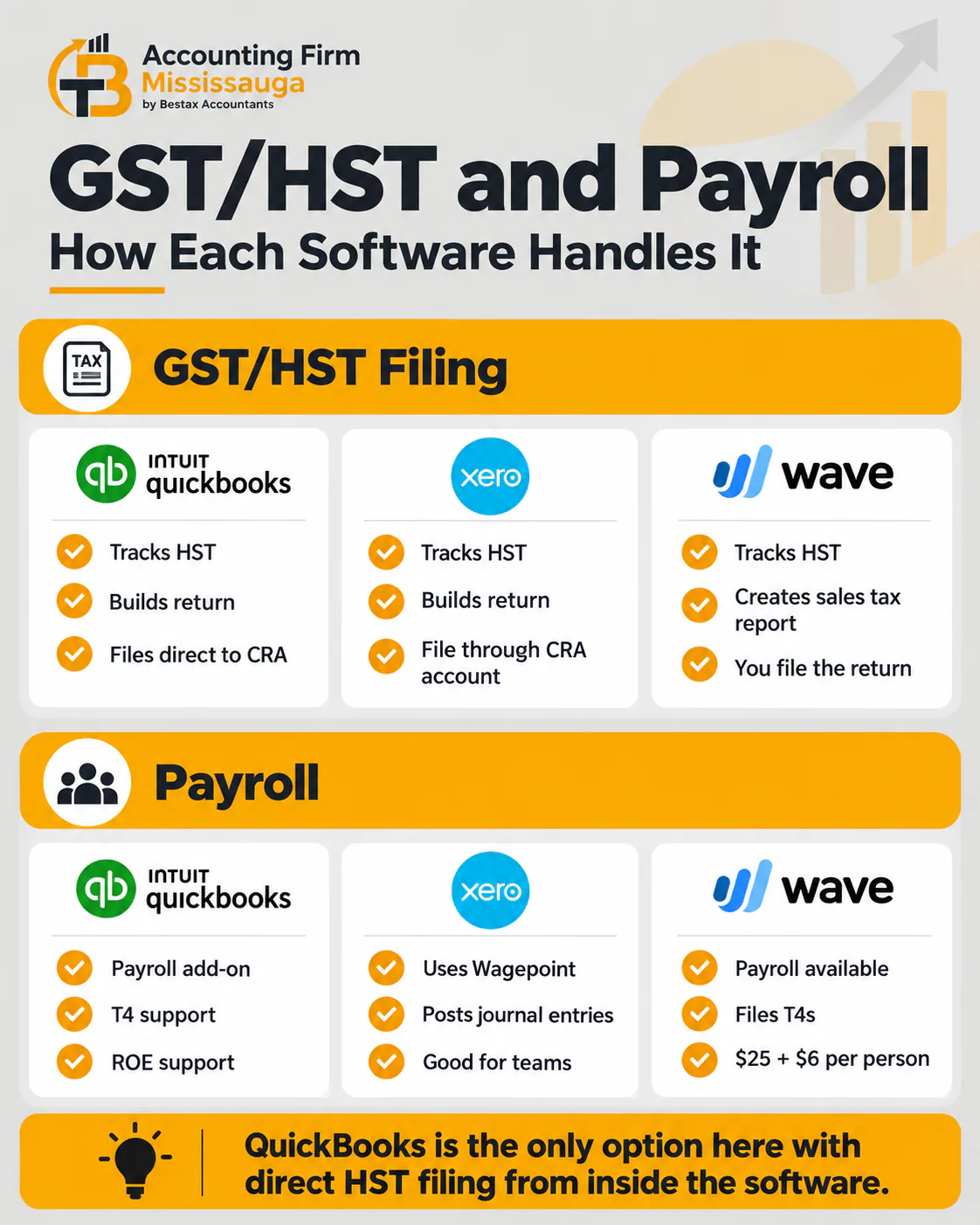
Once you pass the $30,000 threshold you file an HST return, and the three handle it differently. QuickBooks Online tracks HST on every transaction, builds the return, and files it to the CRA from inside the product, then records the payment. Xero tracks HST at the line level across every province, builds the return and the audit report behind it, and you file the figures through CRA My Business Account. Wave tracks HST on invoices and expenses and produces a sales tax report, and you file from that.
- QuickBooks Online: HST calculated, return built and filed to the CRA from the product
- Xero: HST calculated across provinces, return built, filed by you through My Business Account
- Wave: HST tracked on invoices and expenses, report produced, return filed by you
For a quarterly filer the difference is an hour a quarter. If you have input tax credits to defend on audit, the difference is whether the software holds the transaction-level detail behind each line of the return. Xero and QuickBooks do, and Wave's free plan does in a simpler form.
Payroll, T4s and Records of Employment in Each Product
If you have staff, Ontario payroll means CPP, EI and income tax withholding with the remittance by the 15th. Then come the T4s by the end of February and a record of employment when someone leaves. QuickBooks Online's payroll add-on runs all of it, including the T4 and ROE filings. Xero has no Canadian payroll of its own and connects to Wagepoint, which runs the same filings and posts the journal back. Wave Payroll runs CPP, EI and tax, direct deposits in Ontario, and files T4s, at $25 a month plus $6 per person.
QuickBooks vs Xero Canada: Which Fits Your Mississauga Business
The two paid products are closer in capability than in price, and either can be the best accounting software for small business Canada firms run. Your choice usually turns on who else works in your file and how the business will grow.
Choose QuickBooks Online When Your Accountant Already Works in It
QuickBooks Online is the most widely used bookkeeping software Canada accountants work in, and most Mississauga firms, ours included, run client files in it. Its advantages are the direct HST filing, the built-in Canadian payroll, and the depth of inventory and project tracking on the Plus plan. Its cost is the user cap on each tier and a price ladder that rises faster than Xero's.
Your accountant or bookkeeper works in it
BecauseThe file transfers cleanly and the year-end runs in the same productYou file HST monthly or quarterly and want it filed from the software
BecauseDirect CRA filing is built inYou run payroll with T4s and ROEs
BecausePayroll is native, with the filings includedYou hold inventory or bill by project
BecausePlus adds both
| Choose QuickBooks Online when | Because |
|---|---|
| Your accountant or bookkeeper works in it | The file transfers cleanly and the year-end runs in the same product |
| You file HST monthly or quarterly and want it filed from the software | Direct CRA filing is built in |
| You run payroll with T4s and ROEs | Payroll is native, with the filings included |
| You hold inventory or bill by project | Plus adds both |
Choose Xero for Unlimited Users and Multi-Province HST
Xero's case rests on unlimited users on every plan and HST handling that tracks each province's rate at the line level. Its integration list includes Dext for receipts, A2X for e-commerce and Wagepoint for payroll. Its limits are the 20-invoice and 5-bill cap on the Starter plan and no direct CRA filing. Its accountant network in Canada is smaller than QuickBooks', although it is growing in Ontario.
Several people need access and you do not want to pay per seat
BecauseEvery plan has unlimited usersYou sell into more than one province
BecauseLine-level HST, GST and PST by provinceYou sell online through Shopify or Amazon
BecauseA2X and the Shopify integration post sales and fees automaticallyYou want the lowest full-featured price
BecauseStandard at $60 against QuickBooks Essentials at $75 or Plus at $110
| Choose Xero when | Because |
|---|---|
| Several people need access and you do not want to pay per seat | Every plan has unlimited users |
| You sell into more than one province | Line-level HST, GST and PST by province |
| You sell online through Shopify or Amazon | A2X and the Shopify integration post sales and fees automatically |
| You want the lowest full-featured price | Standard at $60 against QuickBooks Essentials at $75 or Plus at $110 |
FreshBooks Canada and Sage 50: The Two Alternatives
FreshBooks Canada, built in Toronto, starts at about $21 a month. Its strength is a service business that bills by the hour and wants invoicing and time tracking above everything else, with double-entry accounting on its upper plans. Sage 50 remains the choice for a business that wants desktop software with payroll included and a Canadian support line. Neither is wrong, and for most Mississauga businesses the decision comes down to the three in the title.
Wave Accounting Canada: When Free Accounting Software Is Enough
Wave is a Canadian product, now owned by H&R Block, and its Starter plan is free without a trial period. For the right business it is the correct answer. For the wrong one it costs more in time than it saves in fees.
What Wave's Free Plan Covers
The Starter plan runs double-entry accounting, unlimited invoices, expense tracking, a sales tax report with HST, and the standard reports, with bank statements imported manually. If you are a sole proprietor filing a T2125 with a few dozen transactions a month, no employees and annual HST filing, you run on it without compromise. The Pro plan at about $25 adds automatic bank feeds, receipt capture and unlimited users, which is still below the entry price of the other two.
- Free for life on Starter, with no transaction limit on invoices
- HST tracked on invoices and expenses, with a report to file from
- Manual bank import on Starter, automatic feeds on Pro
- Payroll at $25 plus $6 per person, with T4s
- Support by email on the free plan, with chat on Pro
Where Wave Runs Out for a Growing Business
Wave has no inventory, no project costing, no multi-currency, and no direct CRA filing. Its reporting is adequate for a tax return and thin for management, and its integration list is short. When you grow into employees, stock or a second province, you move to QuickBooks or Xero. The move is a clean export because Wave is double-entry underneath.
What Our Mississauga Team Recommends and Sets Up
Most of our Mississauga clients run QuickBooks Online, because the HST filing and the payroll sit in one product and the year-end moves straight into our working papers. We put service businesses with several users on Xero, and sole proprietors under the HST threshold on Wave until they cross it. Whichever you choose, our accounting team in Mississauga sets up the chart of accounts, the HST codes and the bank feeds. We file the first HST return with you, so the software does what you bought it to do.
Sole proprietor, no staff, annual HST
SoftwareWave StarterMonthly cost, software and payroll$0Consultant or trade, two users, quarterly HST
SoftwareXero Starter or StandardMonthly cost, software and payroll$25 to $60Service firm, three to five users, payroll for a few staff
SoftwareQuickBooks Online Essentials with payroll, or Xero Standard with WagepointMonthly cost, software and payrollAbout $100 to $140Retail or product business with inventory and staff
SoftwareQuickBooks Online Plus with payrollMonthly cost, software and payrollAbout $150 to $170E-commerce seller in several provinces
SoftwareXero Standard with A2XMonthly cost, software and payroll$60 plus the A2X fee
| Business | Software | Monthly cost, software and payroll |
|---|---|---|
| Sole proprietor, no staff, annual HST | Wave Starter | $0 |
| Consultant or trade, two users, quarterly HST | Xero Starter or Standard | $25 to $60 |
| Service firm, three to five users, payroll for a few staff | QuickBooks Online Essentials with payroll, or Xero Standard with Wagepoint | About $100 to $140 |
| Retail or product business with inventory and staff | QuickBooks Online Plus with payroll | About $150 to $170 |
| E-commerce seller in several provinces | Xero Standard with A2X | $60 plus the A2X fee |
How to Choose the Best Accounting Software for Your Small Business in Canada
The price list is the last thing to compare. The three products cost nothing alike only until you add the people and the filings your business needs.
- Count the users who need the file, including your bookkeeper and accountant, because that alone can move you from QuickBooks EasyStart to Essentials or to Xero
- Decide whether you want the HST return filed from the software, which only QuickBooks does
- Add payroll if you have staff, at a base fee plus per person on QuickBooks and Wave or through Wagepoint on Xero
- Start a sole proprietorship under $30,000 on Wave, and move when you register for HST or hire
- Set up the HST codes and the chart of accounts before the first transaction, because a wrong code in month one is a wrong return in month three
Tell us how you file HST, how many people will use the file and whether you run payroll. Our team will recommend the plan, set it up and train you on it in one session.
Frequently Asked Questions
Can I switch from Wave to QuickBooks or Xero without losing my history?
Yes. Wave is double-entry accounting underneath, so the chart of accounts, the transactions and the balances export and import. The clean point to switch is a fiscal year-end, with the closing balances carried in as opening balances, and the HST filed up to that date in Wave.
Does QuickBooks Online's direct HST filing replace my accountant's review?
No. The filing is only as good as the HST codes on the transactions behind it. A miscoded expense is filed to the CRA as confidently as a correct one. We review the HST report before the first few returns are filed from the software, then let the client file once the coding is clean.
Is Xero's lack of direct CRA filing a real problem?
Not for most businesses. Xero builds the return and the audit report, and filing the figures through CRA My Business Account takes a few minutes. The gap matters only where several entities file monthly and the time adds up.
Which one works best with an accountant in Mississauga?
QuickBooks Online, because most local firms run client files in it and the accountant login, the year-end adjustments and the tax working papers move without conversion. Xero is a close second and growing. Wave files are usually exported to the accountant at year-end rather than shared live.
Do the prices include HST?
No. All three list their Canadian prices before HST, so a $60 Xero plan costs $67.80 a month in Ontario. The subscription is a deductible business expense, and the HST on it is an input tax credit if you are registered.
Disclaimer: The information provided in this blog is for general informational purposes only. For professional assistance and advice, please contact experts.
On this page
Never miss a deadline again
We track every filing date for our clients. Let us watch yours.
Book a free callBookkeeping & Financial Reporting Team
Our expert-reviewed bookkeeping team runs monthly closes, cleans up backlogs and sets up QuickBooks Online, Xero and Wave files for Mississauga businesses.
Reviewed by: Payroll & HST/GST Team
Recent posts
View all → Personal Tax
Real Estate Accountant Mississauga: Tax, Bookkeeping and Property Accounting
Settle three things before the next rental year closes: how the property is owned, whether CCA is worth claiming, and what the sale will cost in tax. This guide covers rental income accounting, HST on property, the 2026 capital gains rules and the bookkeeping behind all three.
 Bookkeeping
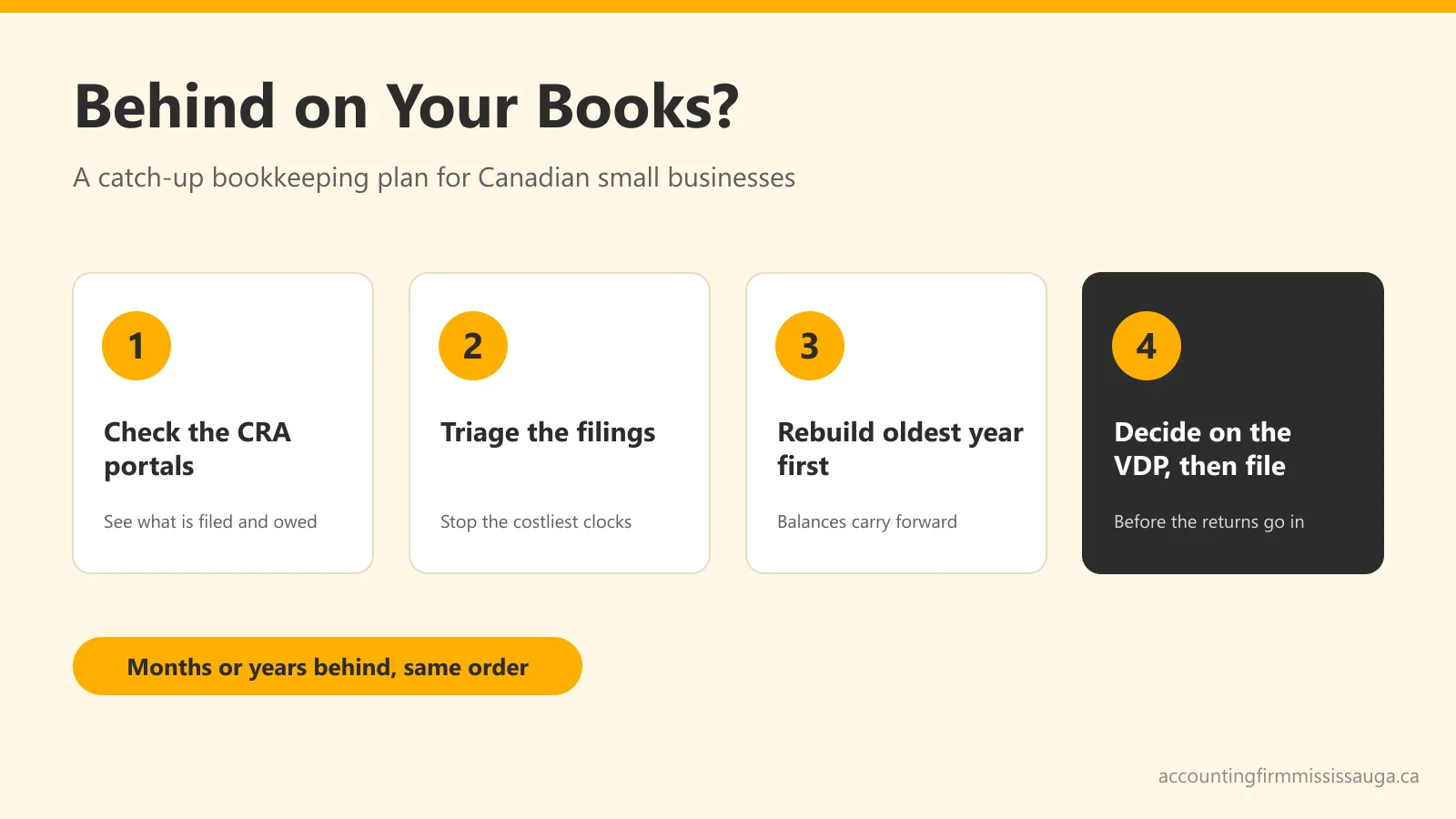
Catch-Up Bookkeeping: What to Do When You're Months (or Years) Behind
Behind on your books and your filings? Here's the order to catch up in, where missing records actually come from, what the delay really costs in CRA penalties, and how the Voluntary Disclosures Program changed in October 2025.
 HST/GST
The HST Quick Method: When It Saves Ontario Businesses Money (and When It Doesn't)
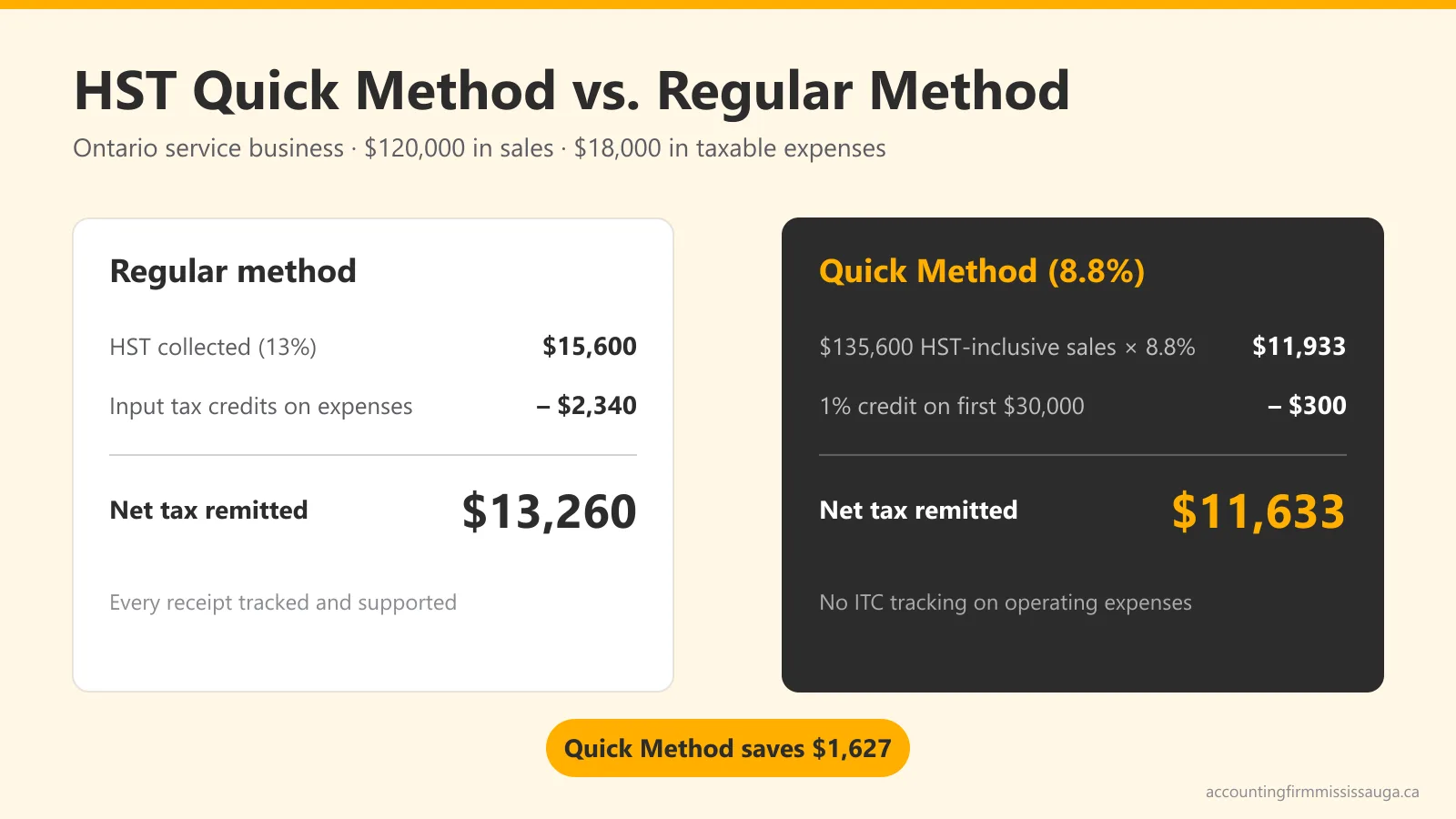
Most Ontario service businesses under $400,000 can remit 8.8% instead of tracking every input tax credit. Here's the real math, the election deadlines, and the income-tax catch nobody mentions.
Free Consultation
Tell Us What You Need. Get a Real Answer Back.
No sales script, no obligation. Describe your situation once and an accounting specialist will follow up with a straight answer and a flat quote.
- Flat-fee quote before any work starts
- Response within one business day
- Reviewed by an expert accountant, not just a bookkeeper